

Discover Sanity.io, the powerful headless CMS that’s transforming how websites and apps manage content in 2025. This guide breaks down its features, benefits, real-world use cases, and expert reviews—helping you decide if it’s the right CMS for your business!

Sanity.io is a flexible, headless CMS that separates content from design, making it easy to use across websites, apps, and more.
Faster and more scalable than traditional CMS platforms like WordPress, with real-time collaboration and API-first content management.
Works with modern frontends like React, Next.js, and Vue, offering total customization without slow plugins.
Multiple hosting options – use Sanity’s free hosting, deploy on Vercel/Netlify, or self-host for more control.
Secure and compliant with GDPR, ISO 27001, and SSO support to protect user data.
Optimized for speed and SEO, using CDN caching, structured metadata, and lightweight API calls.
Proven success with major brands like Mejuri, Morning Brew, AT&T, and PUMA, helping them scale content and improve performance.
Strong community and support with Slack, GitHub, and Discourse forums for troubleshooting.
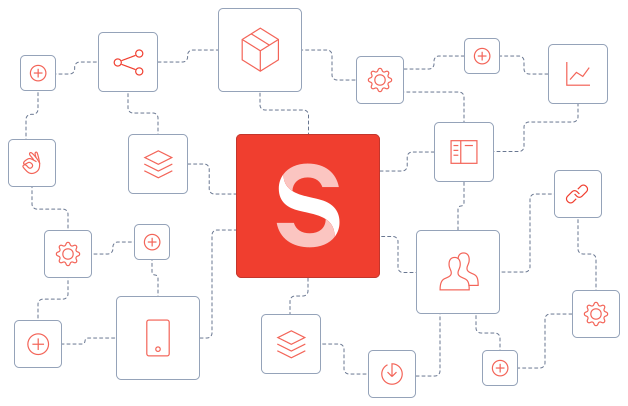
Before diving into Sanity.io, let’s first understand the basics of a Headless CMS and why it’s changing the way websites are built.
Imagine you’re building a website or an app. You have content—text, images, videos—that needs to be stored, organized, and updated. That’s where a Content Management System (CMS) comes in.
A CMS is like a giant digital filing cabinet for your content. It keeps everything in one place so you can update, edit, and manage it easily, without needing to code.
But here’s the catch.
Traditional CMS platforms, like WordPress or Wix, don’t just store your content. They also decide how your content should look on the website.
It’s like a restaurant that serves food but forces you to eat it in a specific way.
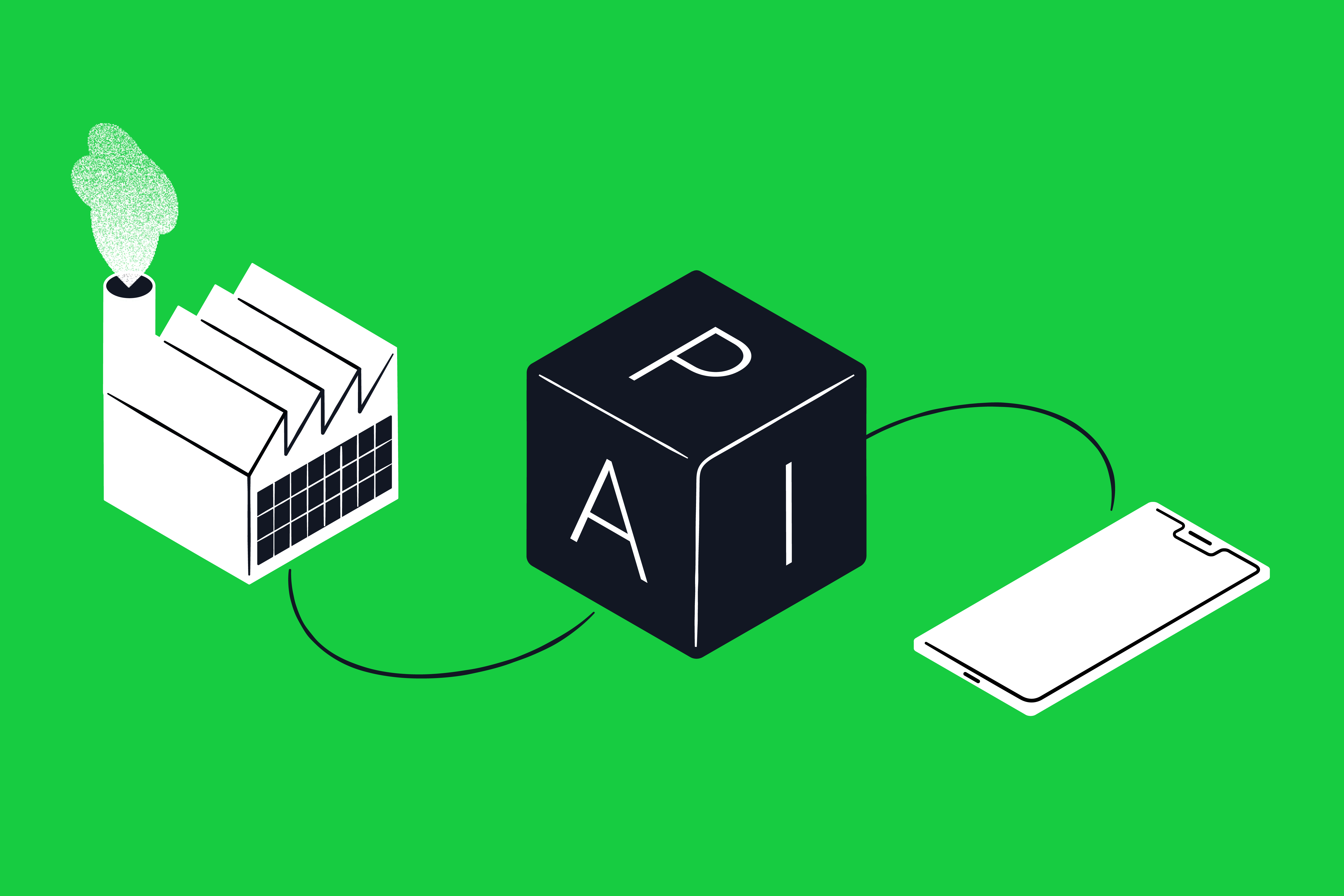
In contrast, a headless CMS is like a central kitchen that prepares meals, but you can serve them on any dish—whether it’s a website, mobile app, or even a smartwatch.
Meaning, A Headless CMS is a content management system that separates the backend (where content is stored and managed) from the frontend (where content is displayed).
One of the best examples of a Headless CMS is Sanity.io, a modern, flexible platform that allows developers and content creators to manage content independently of its presentation.
Here’s more indept explaination of Headless CMS from Sanity.io
Feature | Traditional CMS (e.g. WordPress) | Headless CMS (e.g. Sanity.io) |
|---|---|---|
Content & Design | Tightly connected | Completely separate |
Flexibility | Limited to themes & templates | Works with any frontend framework |
Performance | Can be slow due to heavy plugins | Optimized for speed & performance |
Scalability | Requires plugins for expansion | Easily integrates with multiple platforms |
Omnichannel | Primarily for websites | Works across web, mobile, IoT, and more |
Traditional CMS platforms work well for simple websites but can be limiting as businesses grow.
Headless CMS solutions like Sanity.io, Contentful, and Strapi provide greater flexibility, making them ideal for modern digital experiences across multiple platforms.
The right CMS depends on the type of website you’re building and your long-term needs. Here’s a quick guide to help you decide:
Still unsure? Speak us to understand the right CMS for your website or application. At innovativeX.com.au, we use both traditional and headless CMS solutions like Sanity.io to build modern, scalable, and high-performing websites for businesses of all sizes.

Sanity.io is a headless CMS that gives you total control over your content. Unlike traditional platforms that dictate how your content is displayed, Sanity.io lets you store content in one place and use it anywhere—from websites to mobile apps and even smart devices.
Imagine running a digital business. You have content—text, images, and videos—that needs to be stored, managed, and updated regularly. Sanity.io acts as a central hub where you can edit and organize everything, without worrying about how it looks on different platforms.
🚀 Super Flexible – Store content once, use it anywhere.
🖥 Easy to Use – No coding skills needed to manage content.
🤝 Real-Time Collaboration – Your team can edit together live.
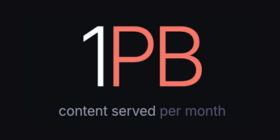
⚡ Fast & Scalable – Works smoothly whether you run a personal blog or a massive e-commerce store.
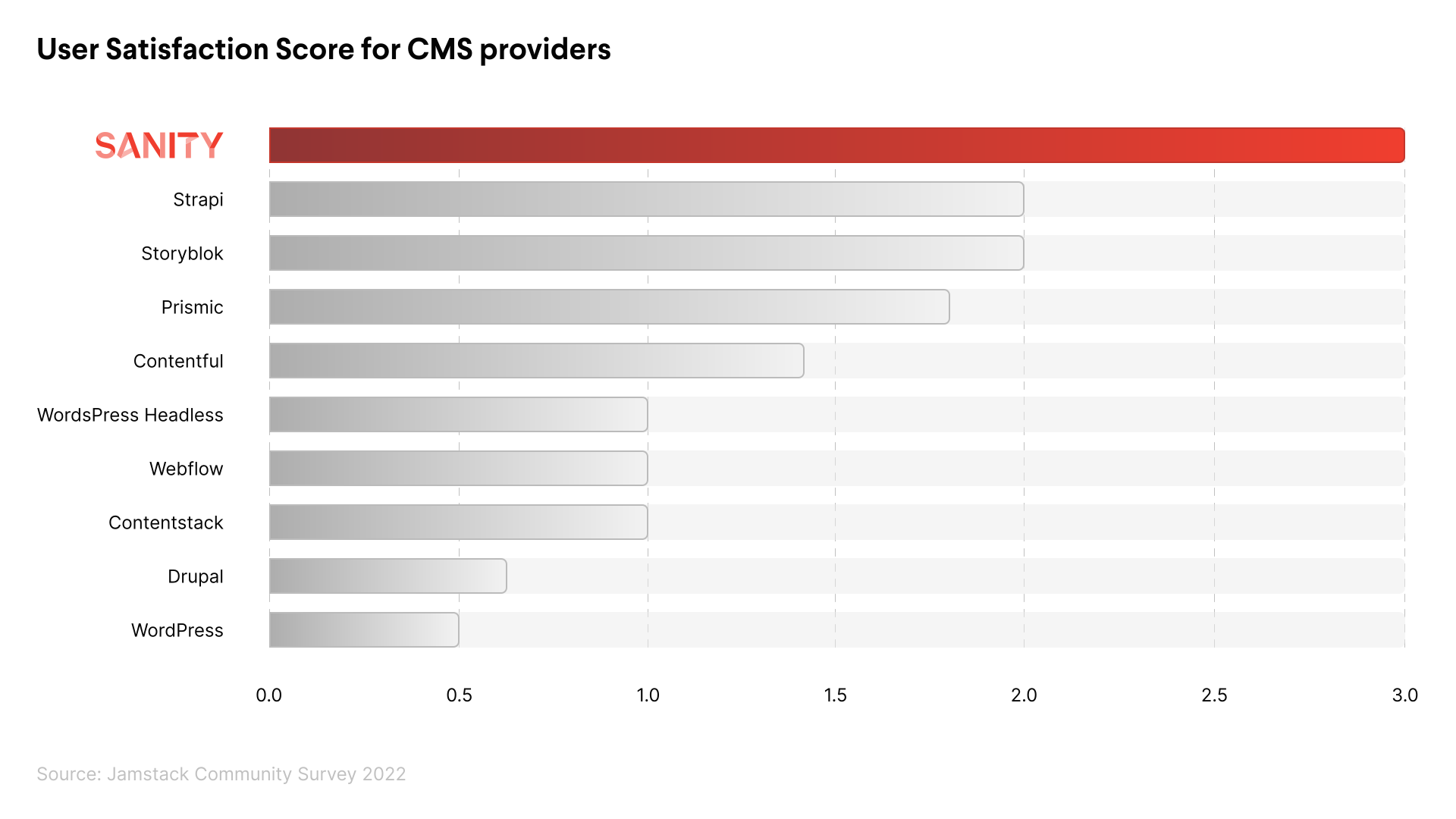
Sanity.io is a powerful headless CMS designed for developers and content teams looking for flexibility, speed, and scalability. Below are its key features, along with explanations of how they benefit users:
Learn about Real-time Collaboration from Sanity.io
Guides, plugins, and other resources for Next.js is available here
Understand the difference between GROQ & GraphQL
The Presentation tool in Sanity Studio provides a powerful visual editing experience for content creators.

The Live Content API is great for real-time events like sports, news, and online shopping. It helps deliver fast and seamless updates.
It lets you create live experiences without the usual challenges of building real-time features at scale.
Read more about live content API

Here is the optimisation guide for Sanity.io
Understand Sanity.io’s data security
Get inspiration from others and learn how to build multichannel experiences from headless content with Sanity.io.
Sanity AI Assist helps you generate text, suggest improvements, and create image captions inside Sanity Studio.
It makes content creation faster and easier, whether you’re managing a blog, eCommerce site, or marketing page.
AI Assist ensures your content is polished, engaging, and optimized for your audience.
To set up AI Assist, install the AI Assist package and add it to your Sanity Studio configuration.
Enable the AI Assist API by creating a token through the Studio interface.
Once activated, AI Assist provides insights and automation to enhance your content workflow.
Here’s the offcial instruction on installing and configuring Sanity AI Assist

Sanity.io Studio is a customizable, real-time content management system designed to help teams create and manage content effortlessly. Here’s an overview:
If you want to experience Sanity Studio, here’s Sanity Studio demo site.
For more details, visit Sanity.io Studio


Sanity.io offers a range of pricing plans to accommodate various project needs and team sizes.
Here’s a summary of Sanity.io pricing plans:
Contact Sales
With Growth plan benefits
It’s important to note that prices are per month per project. Additional add-ons are available for the Growth plan, including options like SAML single sign-on (SSO) and dedicated support.
For the most up-to-date and detailed information, it’s recommended to visit Sanity.io’s official pricing page.
Hosting Option | Best For | Pros | Cons |
|---|---|---|---|
Sanity Free Hosting | Small projects Personal use | Free and fast deployment No server maintenance required Auto-updates with the latest features | Limited customization for hosting infrastructure No custom domain support (without workarounds) |
Vercel | Startups Fast front-end deployment | Fast global CDN hosting Easy integration with Sanity APIs Free tier available | Requires setting up a custom domain manually Deployment limits on free plans |
Netlify | Content-heavy sites | Free custom domain support Automatic GitHub-based deployments Global CDN for fast performance | Requires GitHub setup Limited free-tier bandwidth |
Self-Hosting | Large enterprises Advanced users | Full control over security and performance No external platform dependencies | Requires server management skills No built-in CI/CD for updates |
For most users, Sanity’s free hosting or Vercel/Netlify is the best choice. However, if you need full customization, self-hosting is the way to go.
Read the full hosting and deployment guide https://www.sanity.io/docs/deployment
Here’s a guide to deploy sanity studio with Azure DevOps written by Bjarte Aune Olsen
Read security documentations from Sanity.io

Sanity.io is designed to handle everything from small blogs to enterprise-level websites with high traffic and complex content structures. Here’s how it ensures top performance and scalability:
Sanity.io’s performance-first approach ensures that websites remain fast, scalable, and SEO-optimized, making it a strong choice for businesses with growing digital needs.

Mejuri, a popular jewelry brand, was expanding rapidly and needed a flexible and scalable content management system to power its e-commerce website. Their existing CMS was limiting their ability to create, manage, and distribute content efficiently. Key challenges included:
To overcome these challenges, Mejuri chose Sanity.io as its headless CMS solution. The flexibility of Sanity.io enabled them to:
✅ Centralize content management – All product details, blog posts, and marketing content were stored in one place, making updates seamless.
✅ Enhance team collaboration – Sanity’s real-time collaboration features allowed content teams to edit, review, and approve changes efficiently.
✅ Improve omnichannel distribution – Content could be updated once and pushed instantly across their website, mobile app, and other platforms.
✅ Increase development speed – Developers could focus on improving the website experience instead of handling content updates.
After adopting Sanity.io, Mejuri saw immediate improvements:
📈 50% faster content updates – Marketers could now update product pages and promotional content without developer intervention.
🚀 Scalability for global growth – The headless approach allowed Mejuri to expand its e-commerce platform without performance bottlenecks.
🛍 Better customer experience – A more flexible CMS meant faster page loads, better design flexibility, and a consistent experience across all channels.
👉 Read the full story: Mejuri’s Success with Sanity.io
Morning Brew, a popular business and finance media company, delivers daily newsletters and digital content to millions of readers. As their audience grew, they faced several challenges:
To address these issues, Morning Brew adopted Sanity.io, a flexible and scalable headless CMS. With Sanity.io, they were able to:
✅ Streamline content workflows – Writers, editors, and designers could work on content simultaneously, reducing bottlenecks.
✅ Enable multi-platform publishing – Content could be structured once and seamlessly published across newsletters, websites, and social channels.
✅ Enhance editorial control – Custom workflows allowed teams to draft, review, and schedule content with greater efficiency.
✅ Improve performance and scalability – Sanity.io’s API-driven approach ensured the site remained fast and responsive, even as traffic grew.
After implementing Sanity.io, Morning Brew achieved:
📩 30% faster content publishing – Editors and writers could create and update stories more efficiently.
📊 Seamless multi-channel distribution – Content could be easily shared across newsletters, websites, and social media platforms.
🚀 Scalable content management – The team could manage increasing publishing demands without performance slowdowns.
👥 Better team collaboration – Real-time editing and approval workflows improved efficiency across departments.
👉 Read the full story: Morning Brew’s Success with Sanity.io
As one of the largest telecommunications companies in the world, AT&T needed a modern content management system to handle its vast digital presence. The company faced several key challenges:
To overcome these challenges, AT&T adopted Sanity.io as their headless CMS, enabling them to:
✅ Centralize content management – Sanity.io provided a single source of truth, allowing teams to manage content in one place.
✅ Enable omnichannel content delivery – Content could be structured once and deployed across websites, mobile apps, and other digital experiences.
✅ Improve content workflow – Teams could collaborate in real time, reducing time spent on content approvals and updates.
✅ Boost performance and scalability – Sanity.io’s API-driven approach ensured seamless content delivery, even with high traffic volumes.
After migrating to Sanity.io, AT&T achieved:
⚡ 50% reduction in content update time – Teams could now make updates faster and more efficiently.
📱 Seamless omnichannel publishing – Content was easily repurposed across websites, apps, and marketing campaigns.
🎯 Better content governance – A structured approach to content allowed for improved consistency and brand alignment.
💡 Scalable and future-proof CMS – Sanity.io provided the flexibility to adapt and expand as AT&T’s needs evolved.
👉 Read the full story: AT&T’s Digital Transformation with Sanity.io
As a leading sportswear brand, PUMA operates in multiple markets worldwide, requiring a flexible and scalable content management system. The company faced several key challenges:
To address these challenges, PUMA implemented Sanity.io as their headless CMS, allowing them to:
✅ Unify content management – Sanity.io provided a single platform for managing global and regional content efficiently.
✅ Enable real-time collaboration – Teams could work together seamlessly, ensuring faster content updates.
✅ Deliver content across multiple channels – From e-commerce websites to mobile apps and in-store displays, Sanity.io enabled a consistent brand experience.
✅ Improve site performance – The API-driven content delivery enhanced page load speeds and user experience.
After switching to Sanity.io, PUMA achieved:
⚡ Faster content updates – Content changes that previously took days were now implemented in minutes.
🌍 Scalable content management – The system easily handled PUMA’s growing global presence.
📈 Higher engagement and conversions – Improved site performance and user experience led to better customer interactions.
🎯 Seamless omnichannel distribution – PUMA could now push content updates effortlessly across websites, mobile apps, and digital screens.
👉 Read the full story: How PUMA Uses Sanity.io for Global Content Management
Issue: Errors during installation or setup, such as missing dependencies or permission issues.
Solution:
Issue: Unable to log in to Sanity Studio or connect to the API.
Solution:
Issue: The Studio UI feels sluggish, especially when handling large datasets.
Solution:
Issue: You’ve updated content in Sanity Studio, but changes don’t appear on your website or app.
Solution:
To master Sanity.io and resolve issues quickly, explore these official resources:
📖 Sanity Documentation – The official Sanity docs cover everything from setup to advanced features.
🎥 Sanity YouTube Channel – Watch tutorials and deep dives on Sanity’s official YouTube.
💡 Sanity Blog – Stay updated with the latest features and best practices on the Sanity Blog.
If you need additional help, there’s a strong Sanity.io community and support network available:
💬 Sanity Community Slack – Join thousands of developers in the Sanity Slack community to ask questions and share knowledge.
👨💻 GitHub Issues – Report bugs or check for existing solutions in the Sanity GitHub repository.
📢 Sanity Discourse Forum – Participate in discussions, get troubleshooting advice, and share your experiences on the Sanity forum.
📧 Sanity Support – For direct assistance, reach out to Sanity’s official support team.
Reddit users have shared a variety of experiences with Sanity.io, highlighting both its strengths and areas for improvement. Here’s a summary of their feedback:
Overall, Reddit users view Sanity.io as a powerful and flexible CMS, particularly suited for developers seeking customization and scalability. While there are some concerns regarding its complexity and pricing, the platform’s strengths in flexibility, developer-friendly features, and community support are frequently highlighted.
While Stack Overflow primarily serves as a platform for technical questions and solutions, users have shared insights and experiences related to Sanity.io. Here’s a summary of their feedback:
Overall, Stack Overflow users view Sanity.io as a powerful and flexible CMS, particularly suited for developers seeking customization and scalability. While there are some concerns regarding its complexity and learning curve, the platform’s strengths in flexibility, developer-friendly features, and community support are frequently highlighted.
Sanity.io is a headless CMS that helps businesses create, manage, and share content across different platforms. It lets you store text, images, and media in a structured way and connect to third-party tools and front-end frameworks. With Sanity Studio, you get a customizable editing workspace, and its API-first approach ensures your content stays organized and easy to update everywhere. 🚀
Unlike traditional monolithic CMS platforms such as WordPress, Sanity CMS is headless and API-first, offering greater flexibility for developers. It uses structured content for reusability and focuses on customizable and scalable solutions.
Yes, Sanity CMS offers an intuitive interface with real-time collaboration features, making it accessible for non-technical users. The customizable editor can be tailored to specific workflows, facilitating efficient content management.
Absolutely. Sanity CMS integrates seamlessly with various platforms and tools through its robust APIs, including e-commerce platforms like Shopify, analytics tools like Google Analytics, and frontend frameworks such as React or Vue.js.
Sanity offers a Free Plan with limited features suitable for small projects and an Enterprise Plan for larger organizations requiring advanced functionalities.
Yes, Sanity Studio is a headless CMS that can be customized with JavaScript and React, allowing for flexible content management and delivery across multiple platforms.
Sanity utilizes a schemaless database built on top of Google Cloud, providing a flexible and scalable solution for content storage.
Yes, Sanity is considered a trustworthy company with a robust product, rapid development, and a strong team, making it a reliable choice for content management.